01
Encryption in transit & at rest
TLS for every API call and encrypted storage for projects and auth credentials in transit to your database.
Build relationship graphs and location pins for OSINT research with Waypoint. Projects sync to your account after email verification and admin approval.
Free to register · Admin-approved access
Built for investigators who organize open-source research by hand
Product showcase
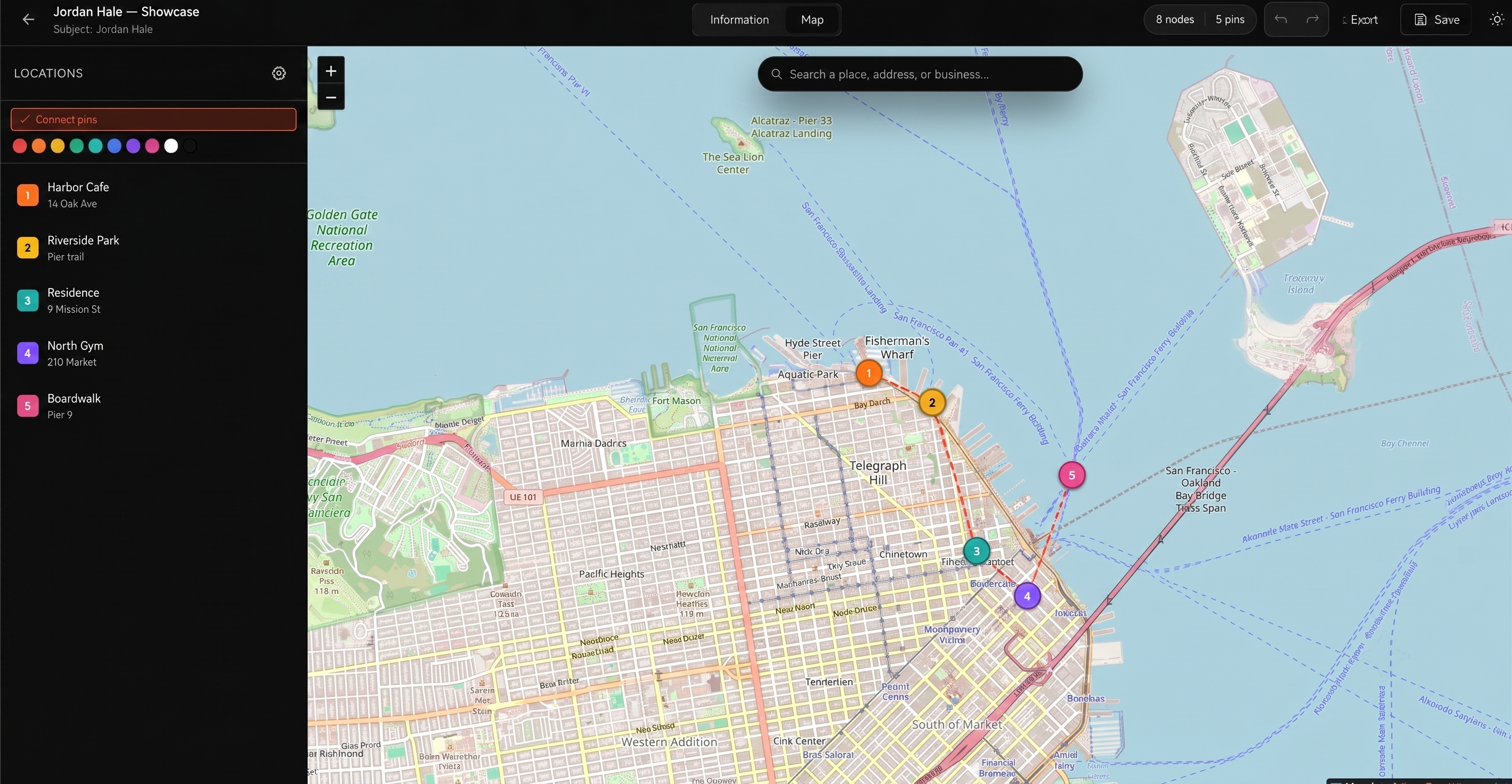
Drag identifier edges on the Information tab, then pin and connect places on the Map tab — one case, two views.
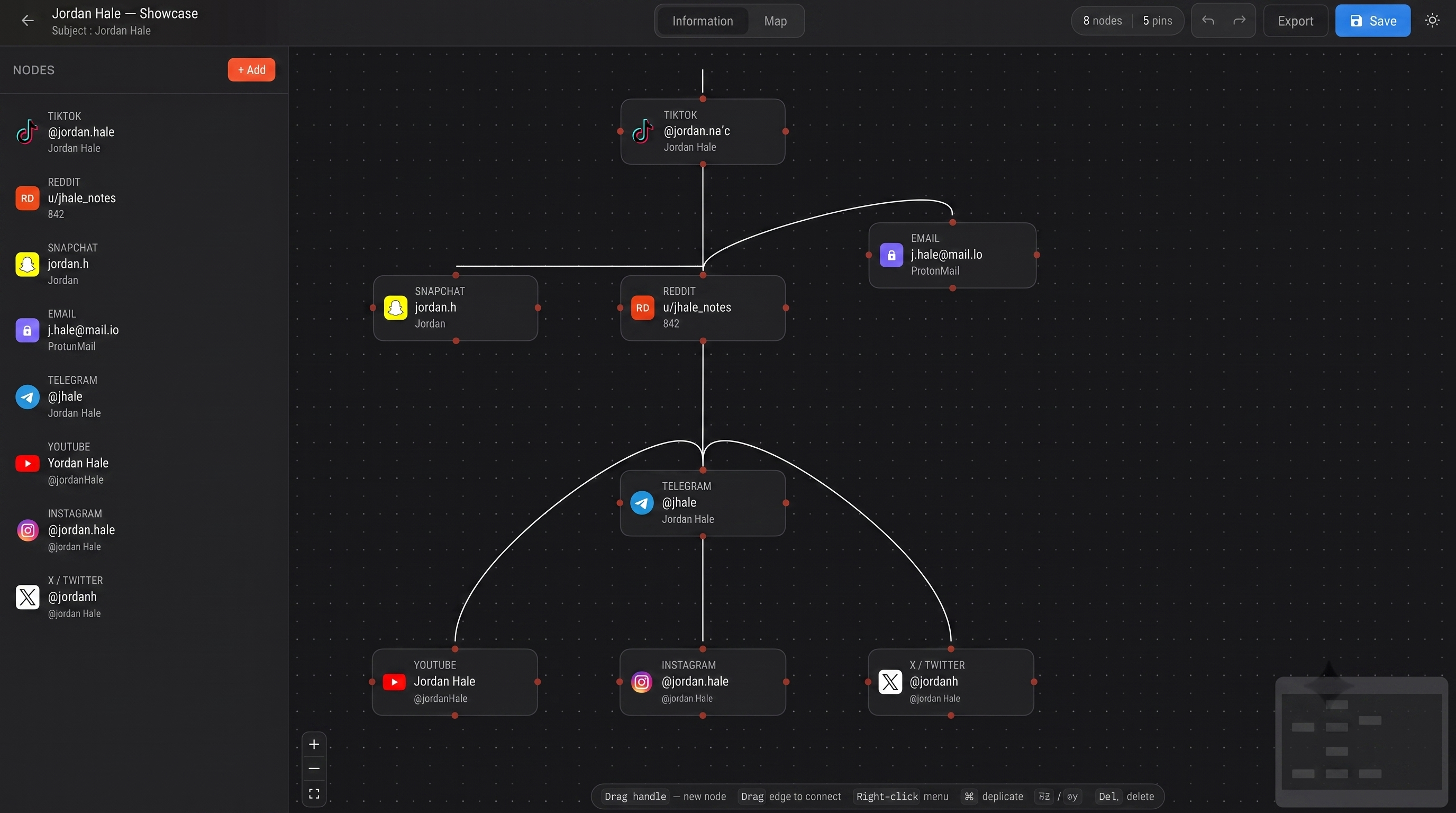
Wire TikTok, Reddit, email, Telegram, and more into one case graph — edges you draw yourself.
Each platform gets its own icon and fields. Select a node to inspect or extend the chain.
Drop map pins, connect them in order, and keep locations beside the identifier graph.
Save projects to your cloud account, or move cases as portable JSON files.
Capabilities
From first identifier to a saved cloud project — structure, connect, and map what your research finds.
Model people, accounts, phones, domains, vehicles, and custom notes as typed nodes. Drag a handle to wire relationships — Blender-style quick-add included.
Pin places on OpenStreetMap (or Google Maps if you add a key). Link each pin back to identifiers so the graph and map stay one case.
Projects live in your account through the app API. Move cases with portable .osint.json files when you need offline copies.
Investigators register, verify email, and wait for admin approval before signing in. Admins manage users without needing to edit every graph.
Link opened · account confirmed
Pending → active
Own projects only
Approve · block · activate
Workflows
Same graph and map core whether you are researching alone or running a small approved team.
Keep open-source notebooks visual — identifiers, edges, and places in one project
Case graphs for private investigators and analysts organizing leads by hand
Pin meetups, addresses, and POIs, then link them back to the people on the graph
Admin-gated accounts so only approved investigators get into the workspace
Trust
We design for operational reality: verified users, approved access, and clear ownership of every map you create.
TLS for every API call and encrypted storage for projects and auth credentials in transit to your database.
Admin approval gates new accounts. Investigators only see their own projects; admins manage status without touching graphs.
Email verification plus admin activation keep unverified and pending users out of sensitive workspaces.
Admins approve, block, or reactivate users so access follows your team’s real onboarding and offboarding.
Graphs are owned by the creating user. Cross-user exposure requires explicit collaboration paths you control.
Short-lived JWTs with server-side status checks — blocked accounts lose access immediately on the next request.
How it works
Access is gated on purpose — verify, get approved, then organize your research in one graph and map.
Create an account with a strong password. You get a verification email right away.
Open the link in your inbox. Tokens stay valid for a week so you can finish setup on your schedule.
An admin reviews and activates your account. Pending users stay out of active workspaces.
Add identifiers, drag edges, pin places, and save the project to your cloud account.
Register, verify your email, wait for admin approval, and turn loose identifiers into a clear investigative graph and map.
Free to register · Admin-approved access